MSSQL Server Config Tool
Desktop DBA utility for SQL Server environments that consolidates health checks, configuration, performance, storage, security and backup-related tasks into one interface.
What problem does it solve?
SQL Server administration often requires information from multiple DMVs, system procedures, T-SQL scripts and management views. The project brings these tasks together so important states and administrative actions can be reviewed more efficiently.
Key features
- SQL Server health checks and status validation
- Server and database configuration overview
- Performance diagnostics and problem highlighting
- Backup / restore readiness and maintenance checks
- T-SQL preview and controlled execution of administrative actions
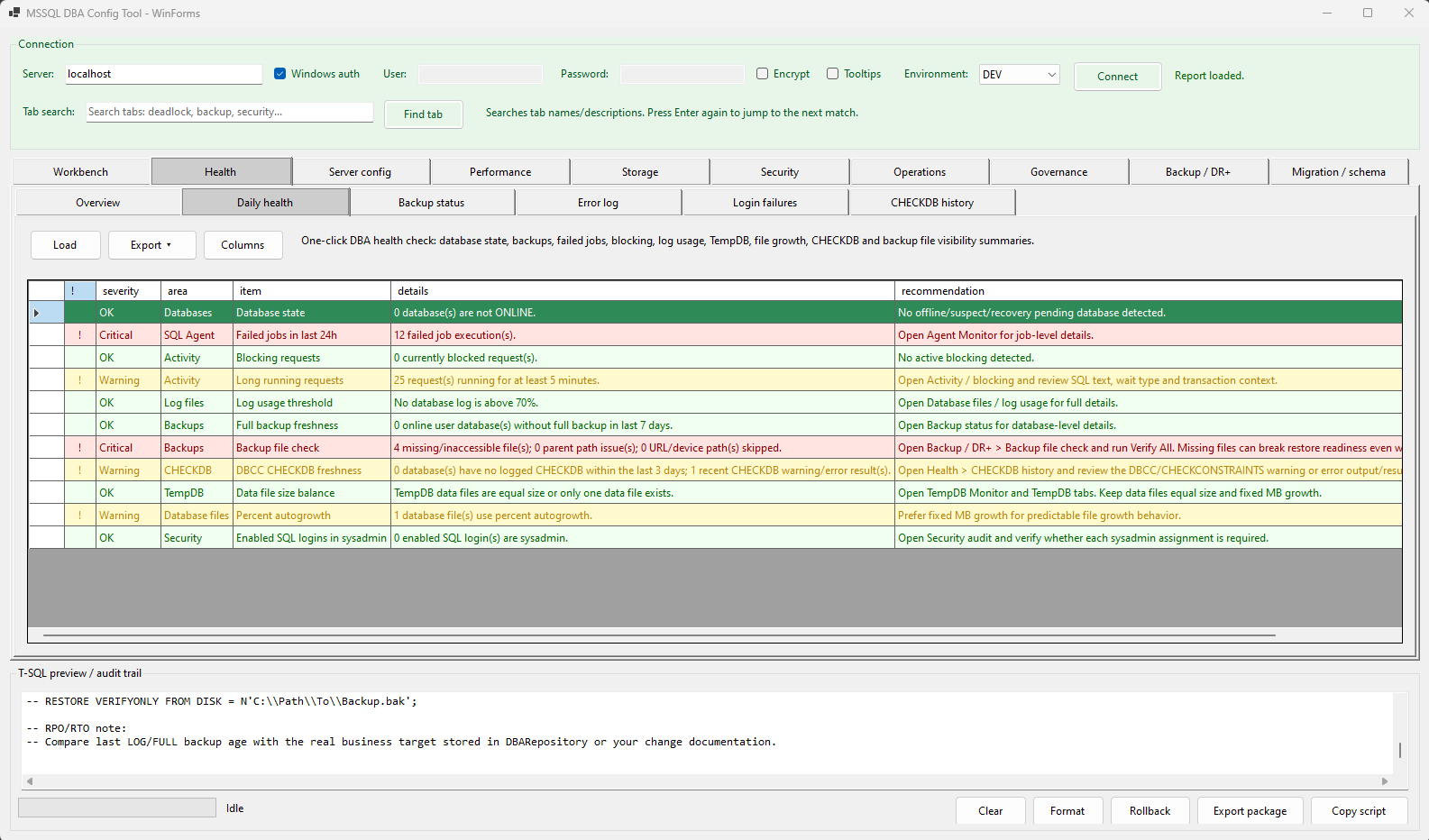
Click the image to view it in a larger size.
Technology stack
| Frontend | Windows Forms desktop UI |
|---|---|
| Application layer | C# / .NET |
| Data access | SQL Server client connection and T-SQL |
| Data sources | SQL Server DMVs, system catalogs, SQL Agent and system procedures |
| Platform | Windows / SQL Server environment |
How it works
The user connects to a SQL Server instance. The application queries relevant system state and presents the results in structured views. Administrative changes can be previewed before controlled execution.
Engineering focus
The main engineering challenge is handling differences between SQL Server versions, permissions and configuration states while keeping diagnostic queries lightweight enough for production-like environments.